

Have you been dreaming about integrating your NetSuite CRM data with Eloqua? Bi-directional integration of contact, lead, and company data is possible with the Relationship One NetSuite Connector! This new Cloud Action App runs on Program Canvas to push and pull data between the two systems in an automated fashion.
There are many benefits to integrating these systems, such as:
- Ability to pass qualified leads to sales
- Enhanced segmentation capability for improved targeting and response
- Detailed contact and prospect behavior available to Sales
- Opt in/out information for CAN SPAM compliance shared
The Connector supports both importing and exporting of the data. ‘Actions’ are defined as outbound create/update pushes from Eloqua to NS. These run on a Program Canvas in real-time as you feed records in.
The following actions are currently supported, and these can be managed in Eloqua under Settings/Apps/R1 NS app/Actions:
- Contacts
- Create Contact
- Update Contact
- Customers
- Create Customer
- Update Customer
- Leads
- Create Lead
- Update Lead
- Tasks
- Create Task
- Estimates
- Create Estimate
- Update Estimate
- Opportunities
- Create Opportunity
- Update Opportunity
- Campaign Responses
- Create Campaign Response
Imports are defined as inbound data pulls from NS to Eloqua. These run on a schedule of your choice.
The Connector supports the following imports of NS Lists/Relationships (in Eloqua, these are found in Settings/Apps/R1 NS app/Imports):
NS Contacts to Eloqua Contacts, Accounts, and Custom Objects
NS Customers to Eloqua Contacts, Accounts, and Custom Objects
NS Estimates (Quotes) to Eloqua Contacts, Accounts, and Custom Objects
NS Opportunities to Eloqua Contacts, Accounts, and Custom Objects
NS Tasks to Eloqua Contacts, Accounts, and Custom Objects
NS Campaign Responses to Eloqua Contacts, Accounts, and Custom Objects
Here’s a high level overview of how this app works:
First, you will create a draft field-mapping document showing each object to integrate with the NetSuite field names and Eloqua field names you want to map in each direction.
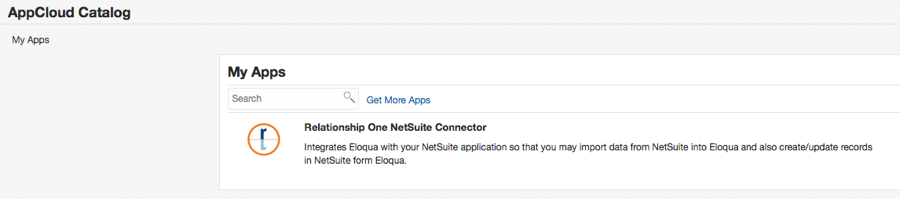
Next, you will download and install the R1 NetSuite App (note this is a paid app that requires an annual license):
For the Eloqua to NS outbound lead flow, you will then create a program flow on Program Canvas and drag the app into place at the integration points. The flow and App can support multiple different types of lead models.
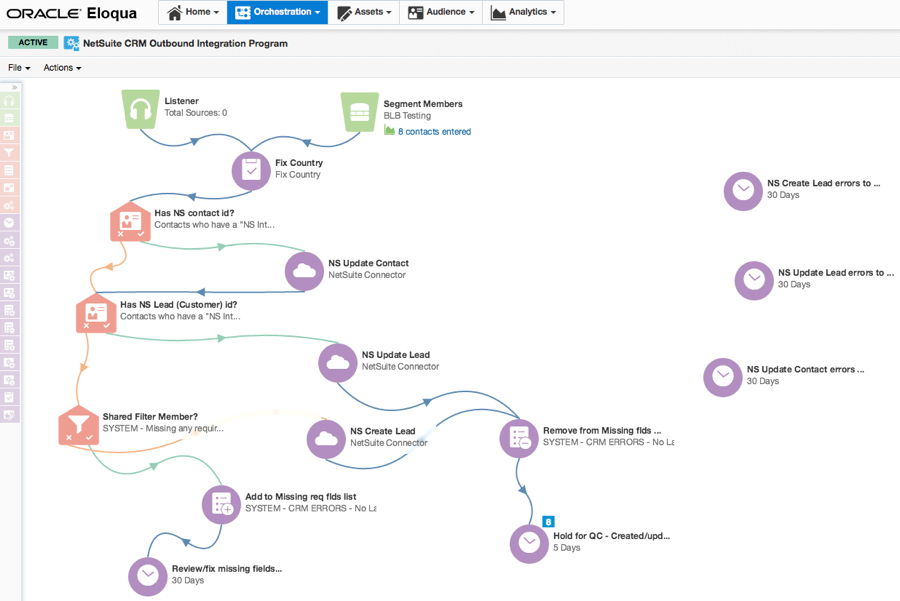
As with any integration program you will have the ability to flow leads into this program in real-time via form submissions, segments, changes in lead score, etc. Dependent upon the number of records you are importing, record flow time may vary. We encourage you to consider utilizing the filter criteria as much as possible to maximize import efficiencies. For example, you could filter out any contacts who have opted out of email communications.
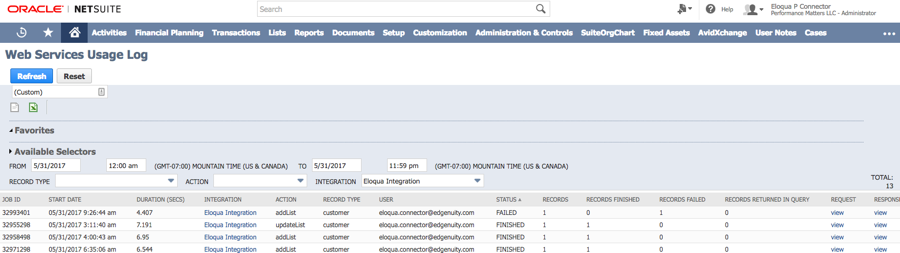
Any error records will be caught in the hold steps to the right. Error logging happens natively inside the NetSuite CRM system. There you can go to the Web Services Usage Log to view finished and/or failed integration errors. You will be able to see the name and reason for the error and then simply fix the data issue and move the error record from the hold bucket back to the top of the flow for resubmission:
Take a look at the app below. You will have an ‘Import’ for each object to bring from NetSuite into Eloqua with associated mappings (note that these can also be filtered and run on a schedule of your choice). For moving data from Eloqua to NetSuite you will have ‘Actions’ with similar mapping capability (also, there is the ability to write static values within fields if needed):
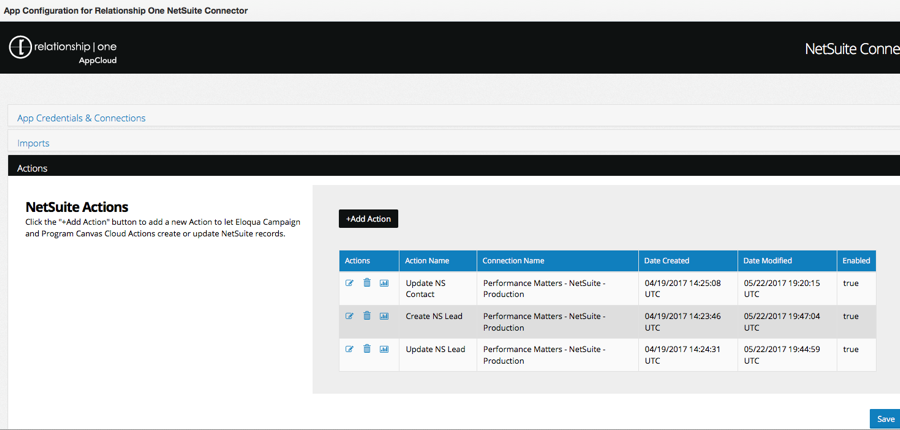
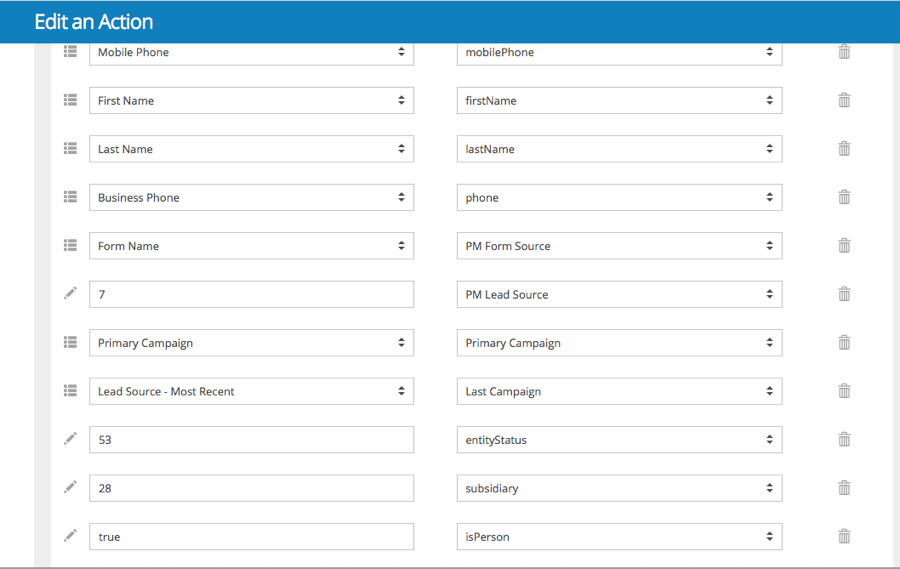
The R1 NetSuite App allows for customers to self-manage the integration and easily add, change, or remove mappings.
Effective marketing today demands the ability to share marketing and sales data. It’s critical that marketing has visibility to data sales enters, lead status, etc. Prospect Profiler can additionally be installed in NetSuite for sales to have an enhanced view of marketing activities and customer behavior.
Find out more about all our other apps here.
If you have Oracle Eloqua and your company uses NetSuite CRM, please contact us for an app demo and more information about how to easily and cost effectively integrate your data.
Share This
About the Author: Relationship One





