

Building segments in Oracle Eloqua is similar to stacking blocks to complete an architectural masterpiece. Leveraging multiple filters within a segment helps marketers hone in on the who associated to the target audience for their marketing campaigns. Segments are also a great way to pull data together for analysis. While segment building itself may seem straight forward (check out this great read for a breakdown) like most things within the Eloqua platform, there are varying levels of complexity. In this blog post, we’re going to cover a few advanced ways to run segmentation within Eloqua to hopefully help reduce the amount of time spent manipulating data outside of the Eloqua platform.
In terms of advanced ways to run segmentation in Eloqua, we’re focusing on three specific functions available within the segmentation area; merge, intersect and trim.
Merge:
Definition – To combine or cause to combine to form a single entity.
True to the definition, the merge function does just that by allowing Eloqua users to combine two separate segment elements into one merged contact list. Eloqua will handle any de-duplication necessary, so the final result will be unique to the contact. Let’s look at an example:
In contact list “List A” we have three contacts, Joe Jones, Betty Smith and Lucy Who.

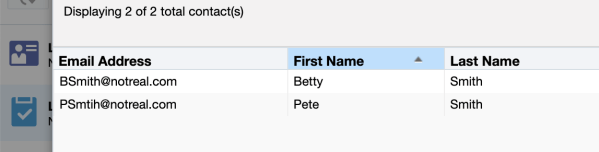
In a separate filter looking for Eloqua contacts with a last name field matching ‘Smith’ we have two contacts, Betty Smith and Pete Smith.
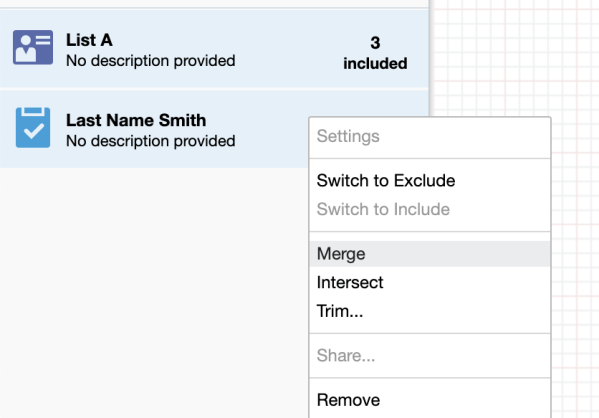
By selecting both lists (holding shift, selecting both lists and right clicking) we’ll be presented with a dropdown menu with an option to merge.
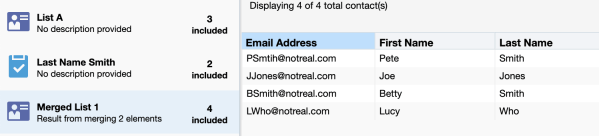
When we merge the two lists, we will be left with only unique values as shown below (Betty Smith is listed once, despite existing in both of our selected criteria).
Intersect:
Using the intersect function between two segment criteria filters will result in only showing the contacts that exist in both of our selected lists/filters. Let’s take a look:
“List A” contains the same values it did in our merge example- Joe Jones, Betty Smith and Lucy Who.
Keeping our second filter criteria the same in this example, we will be looking for any Eloqua contact with the last name field value equal to ‘Smith’ and perform our selection + intersect action.
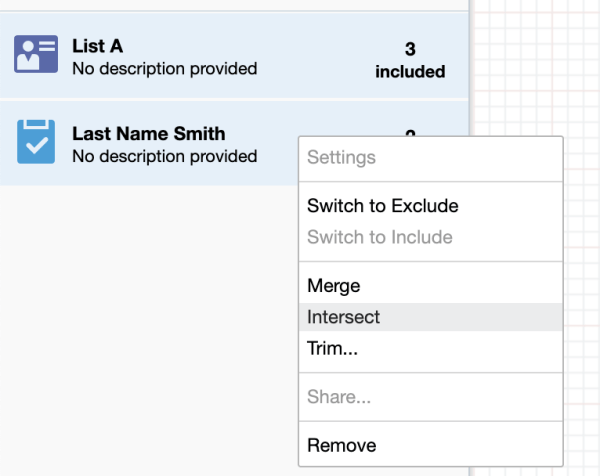
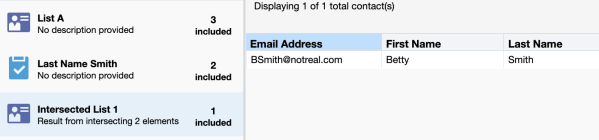
This results in showing only contacts in “List A” that match our last name Smith filter criteria (in this case only Betty Smith matches both).
Trim:
The trim action creates a new merged list minus any contacts existing in both selections.
“List A”
Last Name Smith filter
Following the right click method and selecting Trim, we’ll be presented with a dialogue box to select the target to trim from.
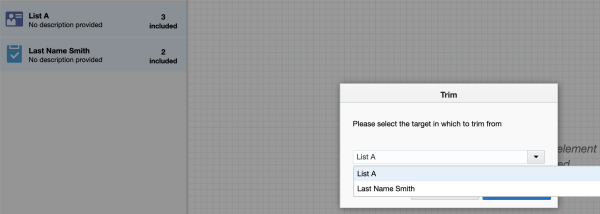
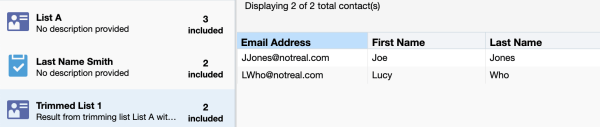
In this example, if we select “List A” as a target, we’ll see two names in our trimmed list – Lucy Who and Joe Jones.
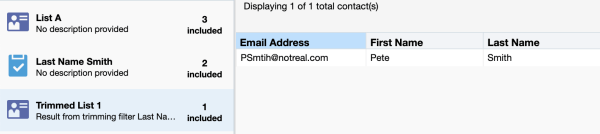
If we select “Last Name Smith” as a target, we’ll see one name in our trimmed list – Peter Smith.
These three methods can be used to help eliminate exporting segment data and having to manually manipulate it in a spreadsheet. There are plenty of other methods to run segmentation. Some methods involve list management through form processing steps and advanced filtering to drill down to prospect engagement levels, but diving into those would be too complex for this post. Maybe that’ll be an upcoming blog topic – stay tuned!
Share This
About the Author: Relationship One





